
How Do I Complete And Submit A Mystery Shop On The App?
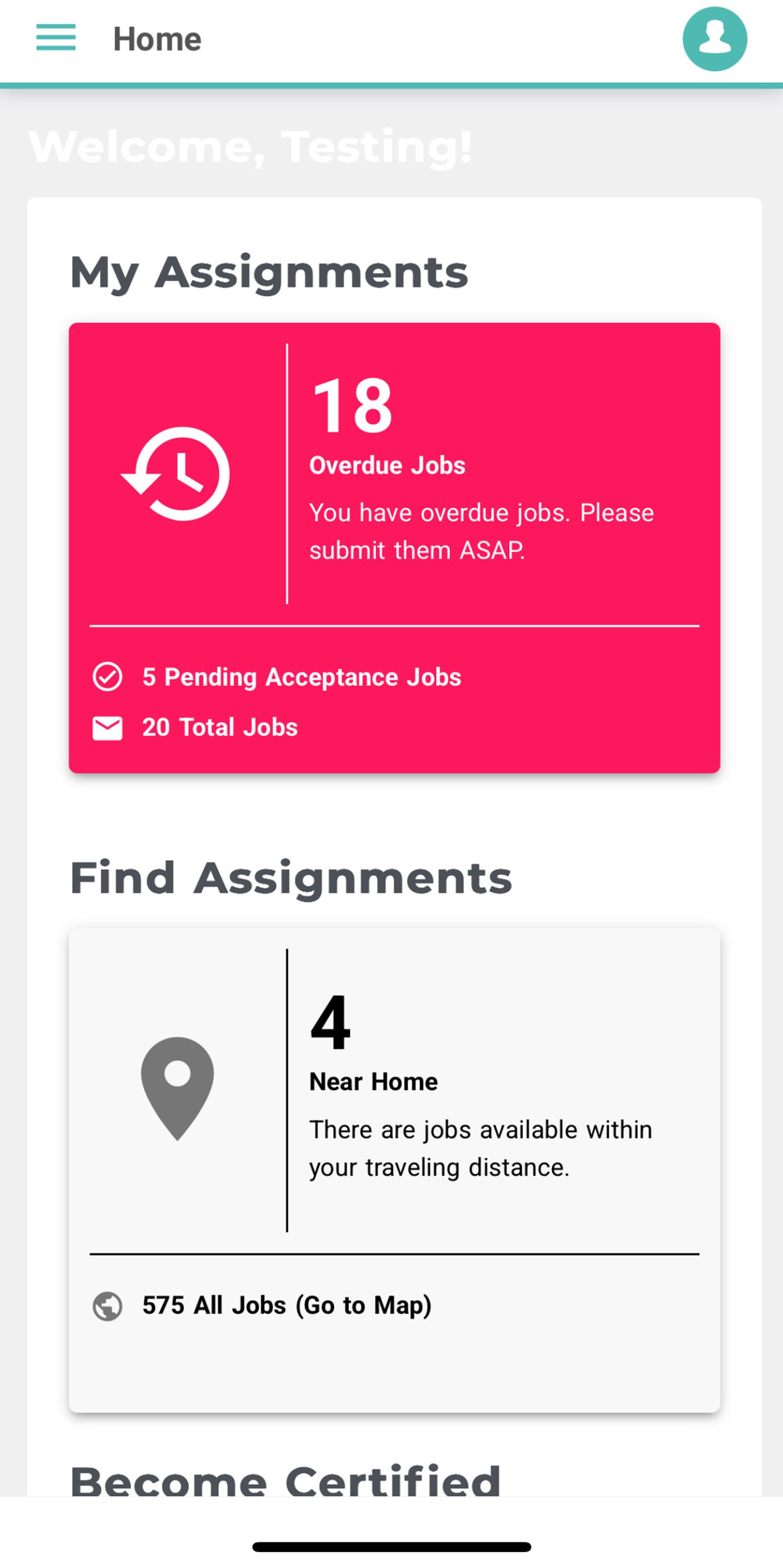
Once you’ve logged into the app, you’ll land on the Home screen. This shows:
- Any assignments you currently have
- Any new assignments available near you
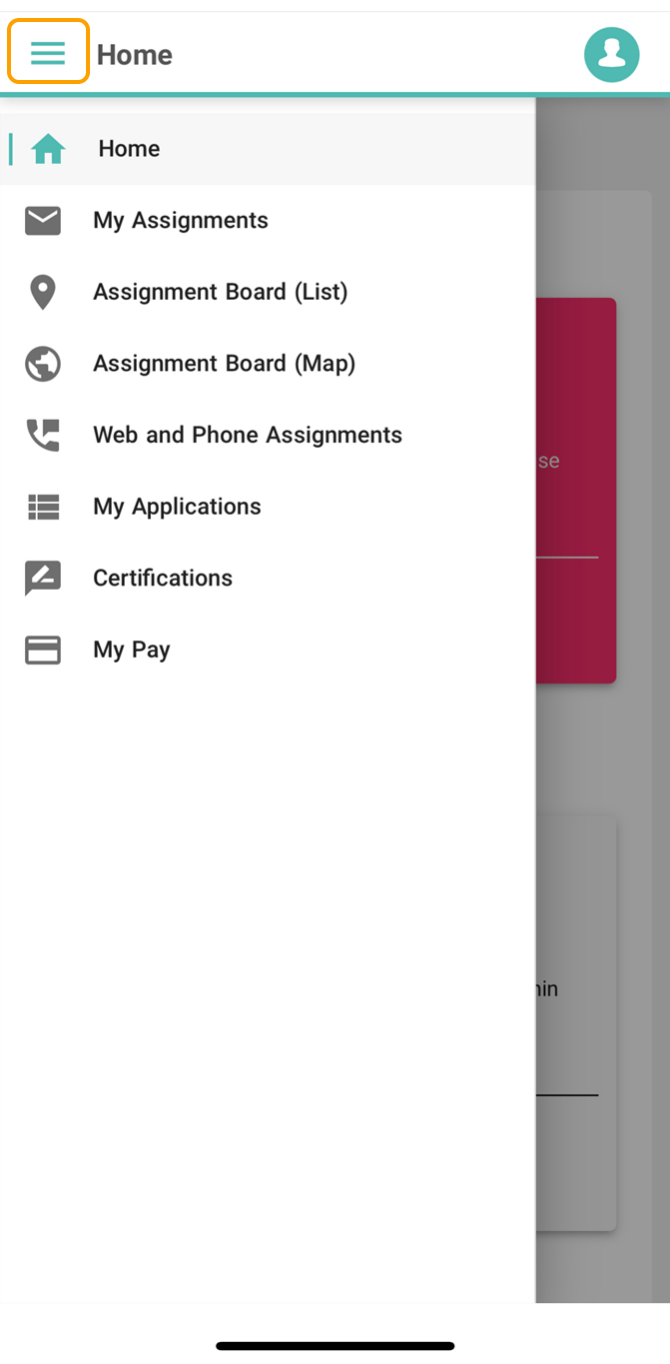
To see more options, tap the menu icon (the three lines next to “Home”). From here you can access:
Available assignments
Your current applications
Certifications (pre-assignment tests)
Your pay
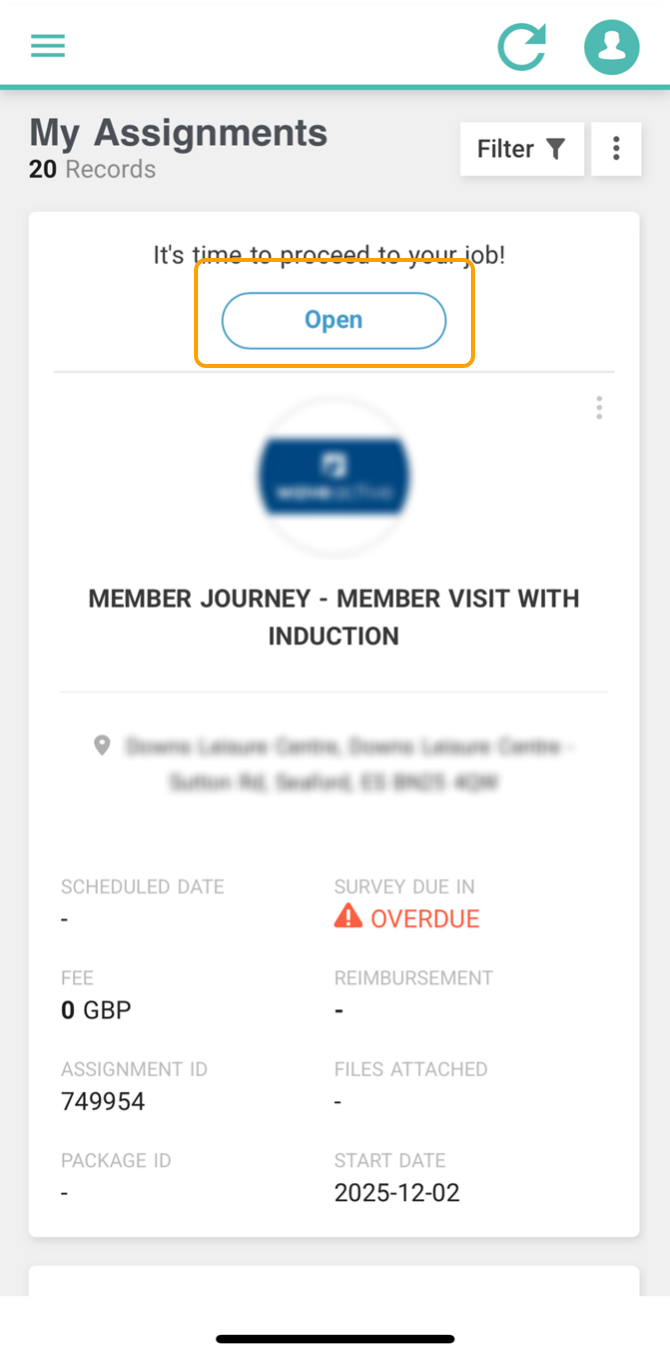
To complete an assignment:
Go to My Assignments
Select the assignment you want to complete
Tap Open
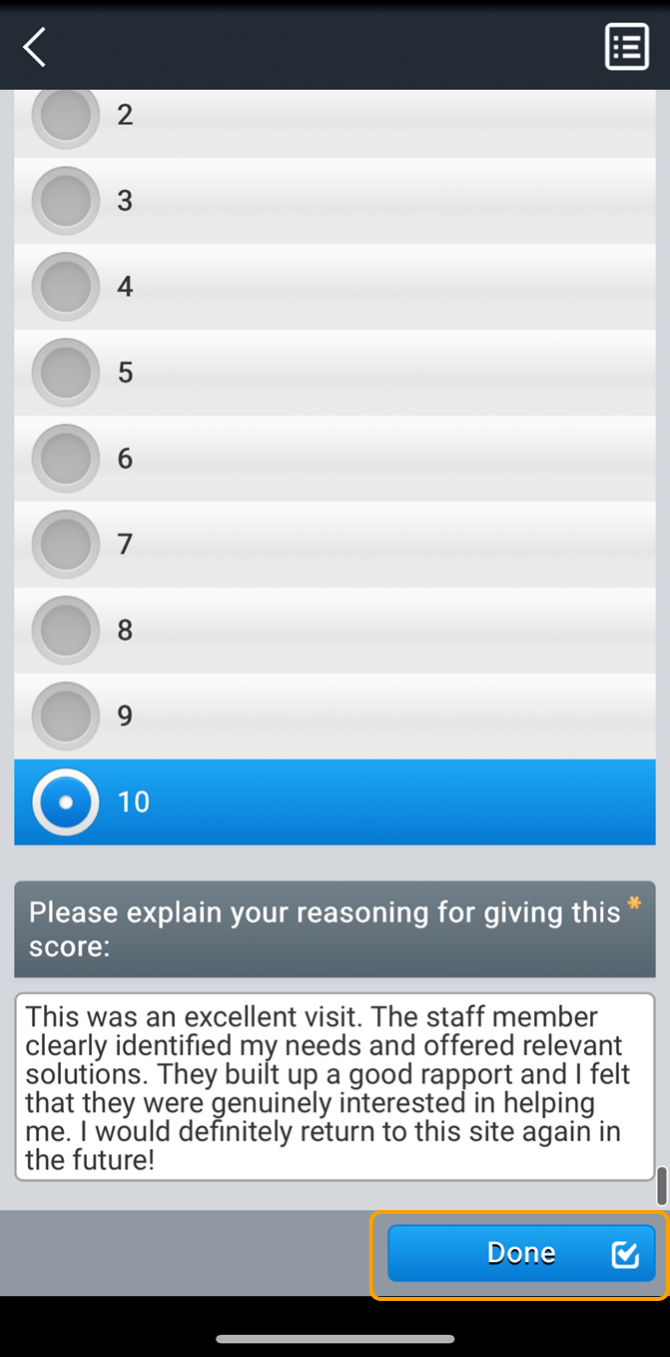
Fill in all required fields, then tap Done.
You can also view other more top tips, FAQs and how-to guides in our Shopper Academy.
Log in to your Open Opportunities page here to view available mystery shop assignments near you.
If, after viewing the Shopper Academy you still need support please contact your Fieldwork Manager at shopper@proinsight.org or call 0203 0954954. We'd also love to know if this article was helpful or could do with some work so please do use the thumbs up/down buttons below!
Make sure you stay up to date by following us on social media. You'll be the first to know about new opportunities, tips, info on clients and what's going on in the Proinsight team world.